
How-to
How to Free Up Storage and Fix a Slow Phone
Photos, videos and old message attachments are almost always the culprit. Here's how to find and clear them, plus 6 fixes for a slow phone.
Open your storage settings and look at what's biggest. It's almost always photos, videos and message attachments. Back them up to the cloud, delete them from the phone, and empty "Recently Deleted". Keep at least 10% of storage free and most phones speed right back up.
⚠️ Back up before you delete
Make sure your photos are backed up (iCloud Photos or Google Photos) before you delete anything. Check the backup finished. See how to back up your phone.
Find out what's eating your storage
- Open Settings → General → iPhone Storage.
- Wait for the bar to load. It shows Photos, Apps, Messages, System Data and more.
- Check the recommendations at the top. "Offload Unused Apps" and "Review Large Attachments" are quick wins.
- Samsung: Settings → Battery and device care (or Device care) → Storage.
- Pixel and others: Settings → Storage.
- Install Files by Google and open the Clean tab. It finds junk, duplicates and large files for you.
Clear the big stuff
- Turn on iCloud Photos with Optimize. Settings → Photos → iCloud Photos on, then choose Optimize iPhone Storage. Full-size originals stay in iCloud, small versions stay on the phone.
- Empty Recently Deleted. Photos → Albums → Recently Deleted → Select → Delete All. Deleted photos stay here for 30 days otherwise.
- Offload apps you don't use. In iPhone Storage, tap an app → Offload App. Your data stays, the app reinstalls when you need it.
- Trim Messages. Settings → Messages → Keep Messages → 1 Year. Then in iPhone Storage → Messages, review large attachments and delete videos you don't need.
- Clear downloaded media. Spotify, Netflix, podcasts and YouTube downloads add up fast. Delete them inside each app.
- Use Google Photos "Free up space". Open Google Photos → your profile icon → Free up space. It deletes the phone copies of photos already backed up.
- Empty the trash. In Google Photos and in your Gallery app (Samsung keeps deleted items in Recycle bin for 30 days).
- Clear app cache. Settings → Apps → pick a big app (Chrome, TikTok, Instagram) → Storage → Clear cache. Don't tap Clear data unless you want to sign in again.
- Uninstall apps you don't use. Play Store → profile → Manage apps & device → Manage → sort by size.
- Move files to a microSD card if your phone has a slot.
Fix a slow phone
Once you've cleared space, work through these. Most slow phones are fixed by the first three.
- Restart it. Clears memory and stuck background processes. Do it once a week.
- Update the software. iPhone: Settings → General → Software Update. Android: Settings → System → Software update. Then update your apps.
- Keep 10–15% storage free. Phones slow down a lot when storage is nearly full.
- Check battery health. A worn battery can make iPhones throttle performance to avoid shutdowns. Under 80%? A new battery can make it feel new. See our battery guide.
- Find the problem app. Check Settings → Battery for an app using way more than it should. Update, reinstall or delete it.
- Last resort: factory reset. Back up, then reset the phone. Restore from backup and see if it's better.
When it's time for a new phone
If your phone no longer gets software updates, has 64GB or less and you shoot a lot of video, or is still slow after a reset and a new battery, you've hit the hardware's limit.
A refurbished upgrade costs a lot less than you'd think. Get 128GB or more this time. You won't regret it.


FAQ
What is "System Data" on iPhone and can I delete it?
It's caches, logs and temporary files. You can't delete it directly, but restarting, clearing Safari data and deleting large app caches usually shrinks it. A backup-and-restore clears it the most.
Does clearing cache delete my data?
No. Clearing cache removes temporary files. Clearing data or storage resets the app and signs you out.
How much free storage should I keep?
Aim for at least 10–15% free. Below that, phones slow down and updates may fail to install.
Will deleting photos from my phone delete them from iCloud or Google Photos?
With iCloud Photos on, deleting on the iPhone deletes from iCloud too. Use Optimize iPhone Storage instead. With Google Photos, use "Free up space", which only removes the phone copy of backed-up photos.
Skip the new-phone price
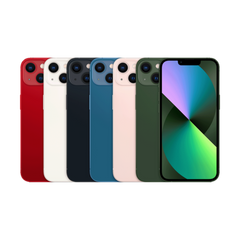
Get the iPhone 13 pre-owned from $286.99, tested by real technicians with a 1-year warranty and 30-day returns.