Buying guide
Best Phones for Seniors in Canada (2026): Easy, Big-Screen Picks
Five easy phones with big screens, simple modes and long battery life, including the best iPhone for seniors.


For most seniors, the best phone is the iPhone 14 Plus if they use an iPhone, or the Samsung Galaxy A36 for Android. Both have big 6.7-inch screens. For a home button, get the iPhone SE (3rd gen).
Find the right phone in 3 taps
iPhone or Android?
What's your budget?
What matters most?
Our picks

- 6.7"screen
- Face IDunlock
- IP68water resistant
Buy it if you want an iPhone with a big, easy-to-read screen.
Skip it if you want USB-C. It uses a Lightning charger.
Why we picked it
Its 6.7-inch OLED screen makes text and video easy to see, and Face ID unlocks it with a glance. It runs Assistive Access, Apple's simplified home screen with large buttons.
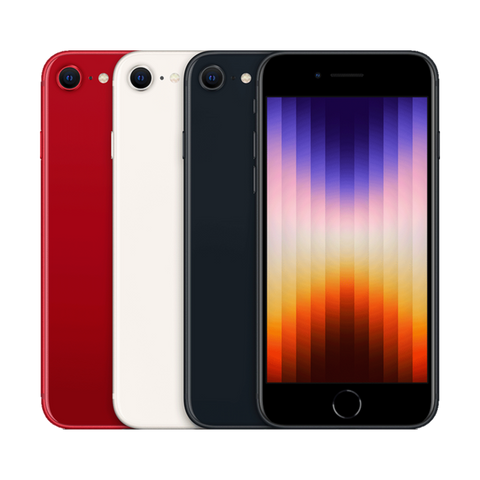
- Homebutton
- Touch IDunlock
- 4.7"screen
Buy it if you want a home button and a phone that works like the old iPhones.
Skip it if small text is hard to read. The screen is only 4.7 inches.
Why we picked it
It is the last iPhone with a physical home button and Touch ID fingerprint unlock, which many people find simpler than swiping. It also supports Assistive Access.

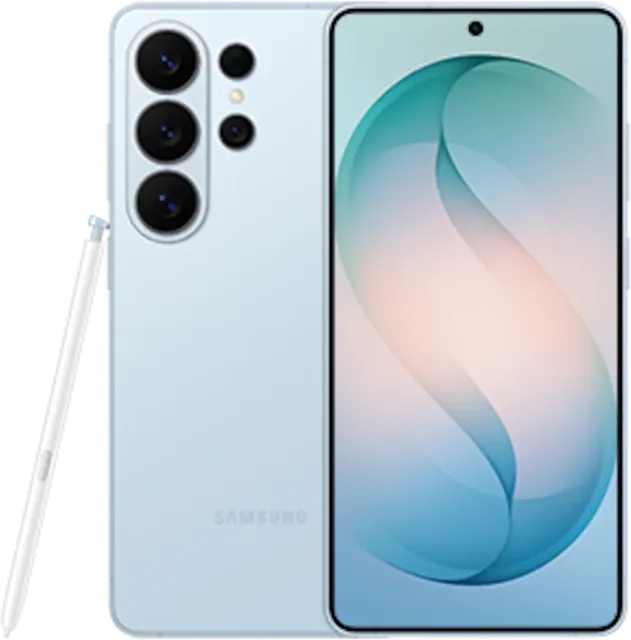
- 6.7"AMOLED screen
- 5000mAh battery
- IP67water resistant
Buy it if you want a big, bright screen and a battery that lasts on a budget.
Skip it if you want the smallest or lightest phone.
Why we picked it
A 6.7-inch AMOLED screen, a 5000 mAh battery and IP67 water resistance. Samsung's Easy mode gives it bigger icons and text and a simpler layout.
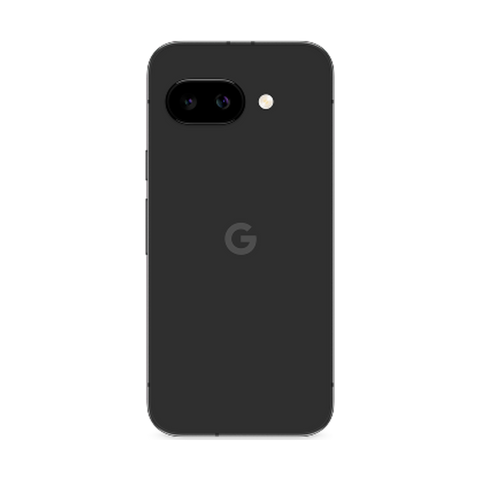
- 5100mAh battery
- 6.3"screen
- IP68water resistant
Buy it if you want clean, simple Android with no clutter.
Skip it if you want a very large screen.
Why we picked it
Google's own software is clean, with no extra apps to confuse. It has a 5100 mAh battery, IP68 water resistance and launched in April 2025.

- 6.8"screen
- 5000mAh battery
- IP68water resistant
Buy it if you want a big screen on a tight budget.
Skip it if you want a sharp OLED screen. It uses LCD.
Why we picked it
A 6.8-inch screen, a 5000 mAh battery and IP68 water resistance at a budget price. A side fingerprint sensor makes unlocking easy.
Specs side by side
| Phone | Screen | Unlock | Battery | Water | From |
|---|---|---|---|---|---|
| iPhone 14 Plus | 6.7" | Face ID | Not published | IP68 | $519.99 |
| iPhone SE (3rd gen) | 4.7" | Touch ID | Not published | IP67 | $249.99 |
| Samsung Galaxy A36 5G | 6.7" | Under-display fingerprint | 5000 mAh | IP67 | $349.99 |
| Google Pixel 9a | 6.3" | Under-display fingerprint, Face Unlock | 5100 mAh | IP68 | $469.99 |
| Moto G Power (2025) | 6.8" | Side fingerprint | 5000 mAh | IP68 | $250.99 |
Settings that make any phone easier
Turn on the simple mode. On iPhone, use Assistive Access for a home screen with large buttons. On Samsung, turn on Easy mode for bigger icons and text. On any phone, raise the text size in Display settings.
What is the best iPhone for seniors?
The iPhone 14 Plus for a big screen, or the iPhone SE (3rd gen) if they prefer a home button and Touch ID.
Is a big screen or a small phone better?
A big screen makes text, photos and video calls easier to see. A small phone is easier to hold and carry. If eyesight is the concern, go big.
iPhone or Android for a senior?
Stick with what the family uses. If the grandkids use iPhones, an iPhone makes FaceTime and sharing photos easier.
Can we set it up before giving it as a gift?
Yes. Every phone we sell is unlocked, so it works with any Canadian carrier. You can set it up, add contacts and turn on the simple mode before handing it over.
Is a pre-owned phone a safe buy?
Every phone we sell is inspected and tested, unlocked, and has at least 80% battery health. You get up to a 1-year warranty and 14-day returns. Grades describe looks only.
See also: the best phones in Canada and the best phones under $300.
Évitez le prix du neuf
Procurez-vous le iPhone 14 Plus d'occasion à partir de $519.99, testé par de vrais techniciens, avec une garantie d'un an et des retours sous 14 jours.