Buying guide
Best Apple Watch for Seniors (2026): Fall Detection and Easy Picks
The best Apple Watch models for seniors, how fall detection works, which watches get watchOS 27, and how to set one up for a parent.


The best Apple Watch for seniors is the Apple Watch SE 3: it has fall detection, Emergency SOS and an always-on screen, and it gets watchOS 27. For a bigger screen and the ECG app, choose the Series 10. If they forget to charge, the Ultra 2 lasts up to 36 hours. Pick GPS + Cellular if they do not always carry their iPhone, so fall detection can still call for help.
Find the right watch for them
Screen size?
What matters most?
Our picks
- Falldetection
- Always-Ondisplay
- watchOS 27supported
Buy it if you want fall detection, Emergency SOS and an always-on screen on a watch that gets watchOS 27.
Skip it if you want the ECG app. Only the Series models have it.
Why we picked it
The SE 3 has everything that matters for safety: fall detection, Crash Detection, Emergency SOS and Medical ID, now with an always-on display so the time is always visible. It gets watchOS 27. Pick a GPS + Cellular model if they often leave the iPhone at home.
- 46 mmcase option
- ECGapp
- Wide-angleOLED
Buy it if you want the biggest, easiest screen to read in the Series line, plus heart health features.
Skip it if battery life is the priority. The Ultra 2 lasts much longer.
Why we picked it
The Series 10 46 mm has one of the largest displays Apple has put in a Series watch, and the wide-angle OLED is easier to read from an angle. It adds the ECG app and irregular rhythm notifications.
- ECGapp
- Double tapgesture
- watchOS 27supported
Buy it if you want the ECG app and a bright screen, and the SE 3 is missing features they need.
Skip it if they want the largest screen. Look at Series 10 or 11.
Why we picked it
Series 9 gets watchOS 27 and has the ECG app, blood oxygen and double tap, a pinch gesture that answers calls and dismisses alerts without touching the small screen.
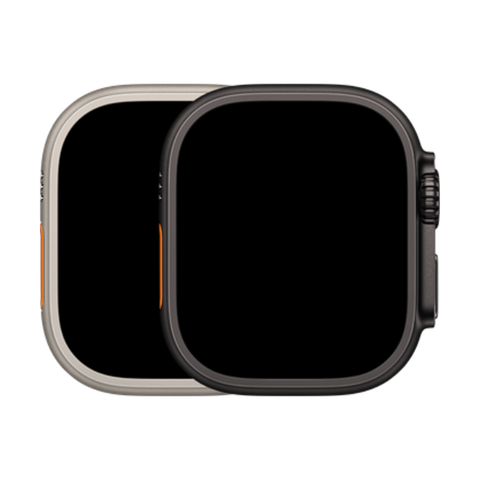
- 49 mmcase
- 36 hbattery
- 86 dBsiren
Buy it if they forget to charge things, or want the brightest screen and a loud emergency siren.
Skip it if it is for small wrists. The 49 mm case is big and heavy.
Why we picked it
Up to 36 hours of battery means charging every other day for many people, and the extra-loud siren can help someone find them after a fall. The screen is the brightest on any Apple Watch here. Every Ultra 2 is GPS + Cellular.
Compare the picks
| Watch | Case size | Always-On | ECG app | watchOS 27 | Battery (Apple rating) | From |
|---|---|---|---|---|---|---|
| Apple Watch SE 3 | 40 or 44 mm | Yes | No | Yes | Up to 18 hours | $252.99 |
| Apple Watch Series 10 | 42 or 46 mm | Yes | Yes | Yes | Up to 18 hours | $298.99 |
| Apple Watch Series 9 | 41 or 45 mm | Yes | Yes | Yes | Up to 18 hours | $252.99 |
| Apple Watch Ultra 2 | 49 mm | Yes | Yes | Yes | Up to 36 hours | $597.99 |
| Apple Watch Series 8 | 41 or 45 mm | Yes | Yes | No (stays on watchOS 26) | Up to 18 hours | $229.99 |
| Apple Watch SE (2nd gen) | 40 or 44 mm | No | No | No (stays on watchOS 26) | Up to 18 hours | $217.99 |
watchOS 27 support from apple.com/ca/os/watchos, features and battery ratings from Apple's tech specs (battery ratings are for new watches). Checked October 24, 2026.
Before you buy
Series 7, Series 8, SE (2nd gen) and the first Ultra do not get watchOS 27. They still have fall detection and keep working on watchOS 26, but they will not get new features. For a watch that should last years, pick SE 3, Series 9 or newer, or Ultra 2.
How fall detection works
- If the watch detects a hard fall, it taps the wrist, sounds an alarm and shows an alert.
- If they respond, they can call emergency services or dismiss it.
- If they do not move for about a minute, the watch calls emergency services and messages their emergency contacts with their location.
- It needs the iPhone nearby, Wi-Fi calling, or a GPS + Cellular watch with an active plan to place the call.
- Fall detection turns on automatically when the age in the Health app is 55 or older. You can turn it on for anyone in the Watch app.
From Apple Support, "Use Fall Detection with Apple Watch". Checked October 24, 2026.
Set it up for them
- Enter their Medical ID in the Health app: conditions, medications, allergies and emergency contacts.
- Make text bigger: Settings, Display and Brightness, Text Size on the watch, and turn on Bold Text.
- Choose a simple watch face with large numbers, like Extra Large or Numerals Duo.
- Turn on Irregular Rhythm Notifications in the Health app if their model supports it.
- If they do not have an iPhone, you can set the watch up from yours with Apple's family member setup. It needs a GPS + Cellular watch.
Every device we sell is inspected, repaired and graded by our own technicians, factory reset, and covered by a warranty of 90 days to 1 year depending on grade, with 14-day returns. Grades describe looks only: Fair has visible scratches, Good has light signs of use, Excellent has hairline marks at most and Premium looks like new.
Questions people ask
What is the best Apple Watch for seniors?
The Apple Watch SE 3 for most people. Series 10 for a bigger screen and the ECG app, and Ultra 2 for the longest battery.
Which Apple Watch has fall detection?
Every Apple Watch from Series 4 and SE (1st gen) onward, including every watch on this page.
Does fall detection work without an iPhone nearby?
Only on a GPS + Cellular watch with an active plan, or over Wi-Fi calling. A GPS-only watch needs the iPhone nearby to call.
Should seniors get GPS or Cellular?
GPS + Cellular if they walk, garden or shop without their iPhone. It lets fall detection and Emergency SOS call for help on their own.
Can a senior use an Apple Watch without an iPhone?
They can wear one set up from a family member's iPhone through Apple's family member setup, which needs a cellular watch. They cannot set it up with an Android phone.
Is the Series 8 still a good watch for a senior?
It still has fall detection and works on watchOS 26, but it does not get watchOS 27. For a long-term watch, the SE 3 or Series 9 is safer.
Which Apple Watch has the biggest screen?
The Series 10 and Series 11 in 46 mm have the largest displays, slightly bigger than the Ultra 2, which has the largest case at 49 mm.
See also the best phones for seniors, the best tablet for seniors, which Apple Watch to buy and every refurbished Apple Watch.
Skip the new-phone price
Get the Apple Watch SE 3 pre-owned from $252.99, tested by real technicians with up to a 1-year warranty and 14-day returns.